
Home / Guide
Redz Hub Script: Blox Fruits Loader, Settings & Troubleshooting
On this page
- What Is Redz Hub?
- Redz Hub: Quick Details
- Redz Hub Script: Published Loader
- Redz Hub Settings Explained
- How the Redz Hub Loader Works
- Is Redz Hub Free and Keyless?
- Redz Hub Download: Code or App?
- How to Check and Load the Published Script
- Redz Hub on Mobile and PC
- New Redz Hub Script and Older Versions
- Redz Hub Troubleshooting
- Safety and Account Risks
- Frequently Asked Questions
- Conclusion
Redz Hub is a Roblox automation script project published through the tlredz/Scripts GitHub repository. Its documentation lists Blox Fruits and Meme Sea as supported games. The project provides a short loader that retrieves its code. It also publishes a Blox Fruits example with team and translator settings.
Also read: Hoho Hub script, Blox Fruits auto farm script and how to use Blox Fruits scripts.
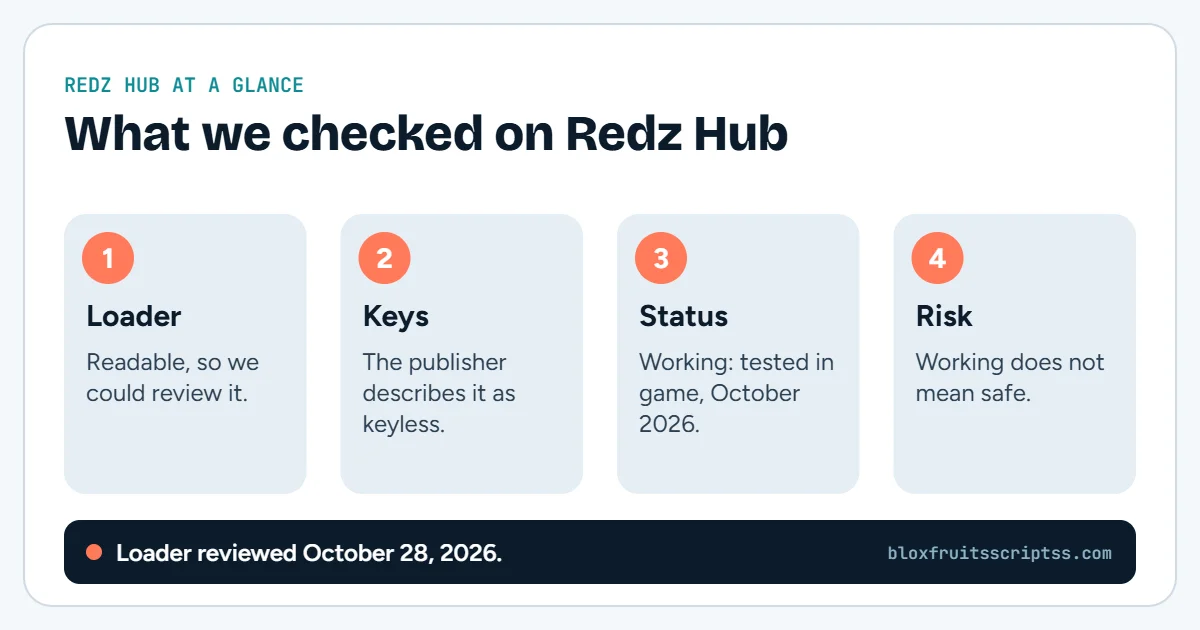
If you’re looking for the Redz Hub script, you’ll find the published loader below. You can also compare the standard snippet with the documented settings example. The publisher describes Redz Hub as free and keyless. This guide reviews the source and loading behavior, but does not claim live gameplay testing.
We’ll explain the settings, update checks, and common loading errors in simple terms. You’ll learn why an unchanged loader can retrieve newer code. We’ll also separate source evidence from mobile, PC, and gameplay claims. For other projects, visit the Blox Fruits Script Collection.
What Is Redz Hub?
Redz Hub is the script project, rather than the software used to execute it. Its loader selects a game-specific file using Roblox game or place identifiers. The reviewed main file contains separate entries for Blox Fruits and Meme Sea. This explains how one starting snippet can lead to different game code.
Redz Hub: Quick Details
These details identify the source used in this guide. They do not establish compatibility with every executor or device. The main loader was readable during the review, but the Blox Fruits gameplay file could not be retrieved. That limits which features can be confirmed.
| Detail | Information |
|---|---|
| Project | Redz Hub |
| GitHub account | tlredz |
| Repository | Scripts |
| Main loader file | main.luau |
| Publisher’s access description | Free and keyless |
| Documented settings | JoinTeam, Translator |
| Gameplay testing | Not performed |
| Source review date | September 24, 2026 |
Redz Hub Script: Published Loader
The snippet below is the standard loader published in the repository. It requests code from the project’s main branch. That address is a source file, not an Android APK or Windows installer. Compare copied snippets with the publisher’s repository before treating them as the same project.
loadstring(game:HttpGet("https://raw.githubusercontent.com/tlredz/Scripts/refs/heads/main/main.luau"))()Loader With Documented Settings
The repository also provides an example that passes settings into the loader. It names two options: JoinTeam and Translator. The example below preserves the published values and structure. It describes intended configuration, not a verified gameplay result.
local Settings = {JoinTeam = “Pirates”;
Translator = true;
}
loadstring(game:HttpGet("https://raw.githubusercontent.com/tlredz/Scripts/refs/heads/main/main.luau"))(Settings)Redz Hub Settings Explained
Settings tell a script which options you want it to use. Their names and value types need to match what the project expects. A small spelling change can make a setting ineffective. The following explanations cover the two options shown in the published example.
Pirates and Marines Team Selection
JoinTeam is the documented team-selection option. The example lists “Pirates” and “Marines” as its choices. To request Marines, replace the quoted Pirates value with “Marines”. This configuration does not promise faster progress or different rewards.
Translator Setting
Translator is shown as a true-or-false option. The example sets it to true. Use the Boolean value false if you want to disable the option according to that configuration. The documentation reviewed here does not establish complete language coverage or translation quality.
Standard Loader vs Custom Settings
The standard snippet calls the downloaded function without passing a settings table. The second example passes the table named Settings. That makes your chosen values explicit in the code. Do not assume that omitting the table guarantees the same defaults in every future version.
How the Redz Hub Loader Works
The reviewed main file checks whether its game identifiers match the current session. When it finds a match, it retrieves the corresponding file from the repository’s Games folder. It also contains separate handling for download and compilation errors. Those stages help explain why a loader can fail before any hub interface appears.
Why the Same Loader Can Change
The published URL points to a branch rather than a fixed code snapshot. A maintainer can change the file at that address. Your saved loader may therefore request different contents later. A copied snippet is not a permanent record of everything it runs.
What the Loader Does Not Prove
The main file shows routing and loading behavior. It does not by itself verify every Blox Fruits tool. The game-specific file was unavailable to this review. Auto farm, raid, mastery, and collection claims therefore remain outside the confirmed feature set here.
Is Redz Hub Free and Keyless?
The publisher’s README describes Redz Hub as free and keyless. That statement concerns the script project’s access model. A separate executor may have its own requirements. Keyless access also does not establish safety, device support, or working gameplay features.
Redz Hub Download: Code or App?
The source presented here is a script loader. It is not a standalone Redz Hub application package. A page advertising a “Redz Hub download” should clearly explain what file it supplies. An unrelated installer should not be assumed to come from the script publisher.
Check the destination before interpreting a download button. A repository page, raw code file, and executable installer are different things. Their file names alone do not establish who created them. Follow the project’s own source references when identifying its code.
How to Check and Load the Published Script
Start by confirming the source and the requirements of the execution environment. The repository example does not supply a tested compatibility table for every executor. Exact interface steps also depend on the software involved. Use the workflow below as a source-checking guide rather than a universal installation method.
- Open the repository. Confirm the account, project name, and published snippet.
- Choose the example. Use the standard loader or the documented settings version.
- Check the full code. Preserve quotation marks, brackets, and the complete URL.
- Review compatibility. Look for current instructions covering the executor and platform involved.
- Follow that environment’s instructions. Do not paste the loader into Roblox chat.
- Check the result. Record any error and assess individual features separately.
Redz Hub on Mobile and PC
A shared loader does not automatically establish support for every device. The executor, interface, and gameplay code all need to work in the chosen setup. No Android, iOS, Windows, or macOS gameplay session was tested for this guide. Platform claims should identify the software versions and functions actually checked.
Mobile Controls
A mobile interface needs buttons that respond to touch. Its panel should fit the screen without hiding essential game controls. There should also be a reachable way to close and reopen it. A screenshot of an open menu does not prove all those actions work.
Desktop Controls
Desktop users need usable mouse input and documented shortcuts. Check that a menu toggle does not conflict with game controls. A panel should remain reachable when the window size changes. Interface usability and gameplay compatibility are separate checks.
New Redz Hub Script and Older Versions
A “new Redz Hub script” claim should point to identifiable source changes. A recent article date alone does not show that the code was updated. Compare the repository history and the actual loader address. Keep source updates separate from claims that every feature has been tested.
Redz Hub Script 2024 and 2025
Older year-based searches may lead to saved snippets or previous tutorials. Those pages can describe an earlier version of the project. Their instructions should be compared with the current source before reuse. Changing the year in a title does not update the underlying code.
Redz Hub Script Update 21
An Update 21 reference describes the context of that particular listing or tutorial. It is not evidence of compatibility with a later game state. Check which code version the page actually discusses. This review did not establish a current release specifically identified as “Update 21.”
Redz Hub Troubleshooting
First, identify whether the problem concerns loading, configuration, or a gameplay feature. Save the full error message instead of reporting only that the script failed. The main loader distinguishes a failed source request from a compilation problem. Other symptoms need separate investigation rather than the same generic fix.
| Problem | Possible explanation | What to check |
|---|---|---|
| Source request fails | Remote file or connection problem | Current published address and error details |
| Compilation error appears | Returned code could not be compiled | Source file and supported environment |
| Nothing appears | Unsupported game or another loading failure | Game session and error output |
| Team choice does not apply | Configuration or downstream behavior issue | JoinTeam spelling and value |
| Translator setting seems ineffective | Configuration or feature limitation | Boolean value and current project notes |
| Menu opens but a tool fails | Game-specific feature problem | Relevant feature and publisher issue reports |
| Older snippet stops working | Source or compatibility changed | Current repository example |
Settings Do Not Apply
Compare your table with the documented example character by character. Check the setting names, quoted team value, and Boolean translator value. Also confirm that the loader call actually receives Settings. A table defined above the snippet has no effect if it is never passed to the function.
Menu Opens but Features Fail
Opening a menu checks only part of the program. A farming routine or movement tool may depend on other code. Record the exact feature, selected settings, and error message. Avoid labeling the entire project working or broken based on one action.
Safety and Account Risks
Roblox states that exploiting and cheating violate its rules and can lead to account deletion. It also warns that exploit downloads may contain malware or steal personal information. A public repository or keyless label does not remove those risks. Never share your Roblox password, session cookie, or recovery codes to unlock a script.
Frequently Asked Questions
These questions cover naming, access, and loader behavior. They help separate what the repository documents from what still needs testing. The exact project source matters more than a generic download headline. Use the publisher’s current information when comparing another listing.
Is Red Hub the Same as Redz Hub?
“Red Hub” may be a spelling variation in some searches. It can also refer to a differently named project. Compare the publisher and loader address before treating the names as equivalent. This guide concerns the tlredz/Scripts project.
Does Redz Hub Require a Separate App Download?
The published example supplies a script loader. It does not itself provide a standalone Redz Hub app. The execution environment is a separate part of the setup. Do not confuse a third-party installer with the published script.
Can I Change the Team to Marines?
The documented example lists Marines as an allowed JoinTeam value. Replace “Pirates” with “Marines” in the settings table. Keep the quotation marks and setting name intact. Actual behavior still depends on the running game-specific code.
Does Keyless Mean Every Feature Works?
No, access requirements and feature compatibility are different matters. A script can be keyless while a tool inside it fails. Updates and missing dependencies can affect behavior. Each feature needs its own check.
Does the Loader Always Run Identical Code?
No, its branch-based URL can serve changed source contents. The loader text may remain unchanged when the maintainer updates those files. This also applies to additional code retrieved later. A previous result does not guarantee identical future behavior.
Conclusion
The Redz Hub script has a published loader and documented team and translator options. Use those source details to identify the project and understand its configuration. Keep free-access claims separate from safety and gameplay verification. For other hubs, explore the complete Blox Fruits Script Collection.
Before you run anything: using scripts in Roblox breaks the Roblox Terms of Service and can lead to a ban. Use an alternate account and check every source yourself.
Keep reading
More Blox Fruits guides

Gravity Hub
Gravity Hub is a script hub listed for Blox Fruits, the Roblox game. Script directories describe it using terms such…
Hoho Hub
Hoho Hub is a Roblox script project with a published loader under the GitHub account acsu123. Its loading code…
How to use a script
Blox Fruits scripts are pieces of code intended to perform tasks inside the Roblox game. A script hub may group…
Hacks and cheats
Blox Fruits hacks are third-party tools or scripts advertised as ways to change gameplay or automate tasks. Players…