
Home / Guide
Gravity Hub Script for Blox Fruits: Loader, Features & Troubleshooting
On this page
- What Is Gravity Hub?
- Gravity Hub: Source and Project Details
- Gravity Hub Script Loader
- Gravity Hub Features: Claims and Verification
- Does Gravity Hub Require a Key?
- Gravity Hub Compatibility
- How to Review the Gravity Hub Setup
- Gravity Hub Troubleshooting
- Safety and Account Risks
- Frequently Asked Questions
- Conclusion
Gravity Hub is a script hub listed for Blox Fruits, the Roblox game. Script directories describe it using terms such as auto farm, level farming, and no-key access. These labels explain what the listings advertise. They do not confirm that the current code delivers every claimed feature.
Also read: Redz Hub script, Hoho Hub script and are Blox Fruits scripts safe.
If you’re looking for the Gravity Hub script for Blox Fruits, the listed loader appears below. Its source contents and current gameplay behavior could not be verified for this guide. There is also a spelling difference between source addresses shared by different listings. Check that difference before treating a copied snippet as the correct version.
This guide explains the loader address, advertised features, and compatibility checks. You’ll learn what “no key” means and how to narrow down loading errors. We’ll also cover mobile controls, desktop support, and claims about Third Sea farming. For other hub sources, visit our Blox Fruits Script Collection.
What Is Gravity Hub?
Gravity Hub is presented in script listings as a collection of Blox Fruits tools. A hub usually places several script functions inside one menu. The software used to execute that code is a separate part of the setup. Gravity Hub’s name alone therefore does not identify its supported executor or platform.
A useful listing should connect the hub to an identifiable publisher and source. It should also separate documented features from advertising claims. For this review, the named source could not be retrieved. That leaves the current feature list, access rules, and release status unconfirmed.
Gravity Hub: Source and Project Details
Shared loaders point to the GitHub account name Dev-GravityHub. However, the repository name differs between listings. Some use BloxFruit, while the earlier collection used BluxFruit. Those are different addresses, and neither should be silently treated as verified.
| Detail | Review finding |
|---|---|
| Hub name | Gravity Hub |
| Game named in listings | Blox Fruits |
| Account named in loader URLs | Dev-GravityHub |
| Repository spelling found | BloxFruit and BluxFruit |
| Target filename | Main.lua |
| Source contents | Not retrieved |
| Current key requirement | Unconfirmed |
| Gameplay testing | Not performed |
Gravity Hub Script Loader
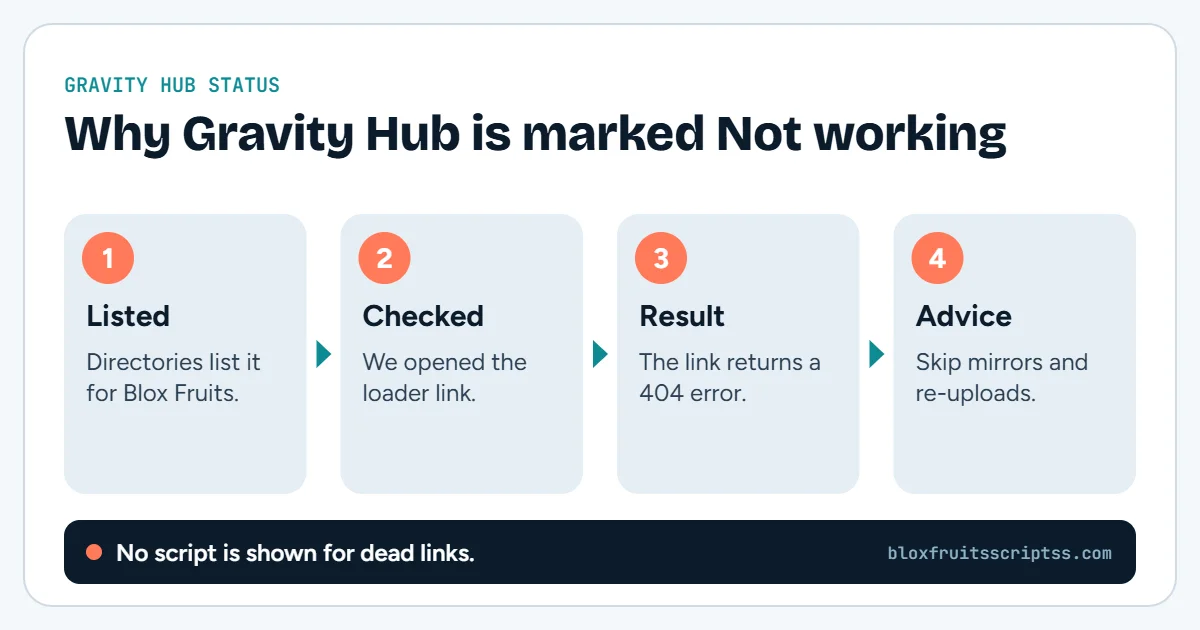
Several reviewed listings use the BloxFruit address shown below. It is included as a listed source reference, not a verified working script. The destination file could not be retrieved during this review. No live execution test was performed.
loadstring(game:HttpGet("https://raw.githubusercontent.com/Dev-GravityHub/BloxFruit/refs/heads/main/Main.lua"))()BloxFruit vs BluxFruit: Why the Spelling Matters
The earlier collection contained BluxFruit in the repository path. The snippet above contains BloxFruit. A repository name forms part of the exact file address. A spelling difference can point somewhere else or fail to resolve, so it needs publisher confirmation.
What the Loader Reveals
The snippet identifies the address it requests. It does not show the complete downloaded program. That remote code may contain menus, dependencies, and additional loading steps. You cannot establish its full behavior from this short line alone.
Gravity Hub Features: Claims and Verification
Listings advertise several farming-related features under the Gravity Hub name. The reviewed primary source was unavailable, so those claims could not be checked against its code. The sections below explain what each claim would need to demonstrate. They are not a confirmed feature list.
Auto Farm and Level Progression
Auto farm generally refers to repeating a gameplay task. A level-farming routine may need to select quests, target enemies, and perform attacks. Gravity Hub listings advertise this type of automation. Current quest selection and level-farming behavior remain unverified here.
Boss Farming
A boss-farming claim should identify the targets it supports. It should also explain whether the routine handles movement, combat, or both. A boss may still depend on access and availability conditions in the game. This review did not confirm Gravity Hub’s boss tools or supported targets.
Sea-Specific Support
A claim about Third Sea support should describe the actual quests or tools involved. It does not automatically mean the hub works only in Third Sea. Likewise, support for one area does not establish support across every Sea. No current Sea-by-Sea compatibility list was verified for Gravity Hub.
Other Advertised Automation
Some directories attach additional labels to the hub, including event or progression features. Those claims need checks against the current release rather than an old listing. A feature name does not explain its requirements or limitations. This guide does not present those extra tools as verified.
Does Gravity Hub Require a Key?
Several script directories describe Gravity Hub as keyless or no-key. That is a listing claim, because the current access flow could not be inspected. It may also refer to a particular variant rather than every similarly named release. Check the exact source and version before relying on it.
A script hub’s key is separate from an executor’s access key. One product can require a key while the other does not. “No key” also says nothing about safety or compatibility. If a prompt appears, identify which product is requesting access.
Gravity Hub Compatibility
A working setup depends on the script and its execution environment. The environment must provide the functions the downloaded code expects. The interface must also remain usable on your device. None of those checks was completed through live testing for this guide.
Does Gravity Hub Work With Delta?
A listing on a Delta-related website does not prove Delta compatibility. Useful evidence would identify the Delta version, platform, and Gravity Hub source tested. It should also name the features that worked. This review did not establish that combination.
Mobile Support
Mobile support requires more than a menu screenshot. Buttons must respond to touch, and the panel must fit the screen. There should also be a way to close and reopen it. Android and iOS support were not verified here.
PC Support
Desktop compatibility needs its own evidence. A script may require functions that are unavailable in a particular environment. Keyboard shortcuts and mouse controls also need checking. No current Windows or macOS gameplay setup was confirmed for Gravity Hub.
How to Review the Gravity Hub Setup
Start with source identity before following installation instructions. The unresolved repository spelling is an important detail in this case. Once a publisher confirms the source, compare the documented requirements with your setup. Avoid borrowing exact steps from an unrelated hub.
- Confirm the publisher. Look for a consistent project identity and source link.
- Resolve the repository spelling. Verify whether the publisher specifies BloxFruit, BluxFruit, or another address.
- Check the current file. Confirm that the loader points to the documented entry file.
- Read platform requirements. Keep mobile and desktop claims separate.
- Check access conditions. Identify any executor or hub key requirement.
- Review testing evidence. Look for named versions, dates, and features checked.
Gravity Hub Troubleshooting
Begin by recording exactly where the process stops. A failed source request is different from a menu that opens but does nothing. Keep the loader address and full error message with your notes. The table below suggests checks without claiming a confirmed diagnosis.
| Problem | Possible explanation | What to check |
|---|---|---|
| Source file cannot be retrieved | Wrong address, unavailable file, or request failure | Publisher-confirmed repository and filename |
| Syntax error appears | Incomplete snippet or unsuitable returned content | Complete code and error details |
| Required function is missing | Unsupported dependency | Script and executor documentation |
| Menu does not appear | Loading or compatibility failure | Error output and supported setup |
| Key prompt is unexpected | Separate access system or different variant | Product name on the prompt |
| Farming does not start | Unsupported routine or unsuitable settings | Selected mode and known issues |
| A feature stops after an update | Compatibility changed | Current project notes |
Source File Cannot Be Retrieved
Check the exact address before blaming your device. In this case, compare the repository spelling with publisher documentation. Do not assume that changing one letter creates a valid replacement. If the correct file remains unavailable, the loading problem is unresolved.
Menu Opens but a Feature Fails
A menu and its gameplay tools can rely on different code. Opening the panel only confirms part of the process. Note which option failed and whether an error appeared. That gives the maintainer more useful information than a general “script broken” report.
Script Stops After a Game Update
An update can change something the script expects. However, timing alone does not identify the exact cause. Check current reports and release notes before repeating an old fix. A promised repair time should come from the maintainer, not guesswork.
Safety and Account Risks
Roblox states that cheating and exploiting violate its rules and can lead to account deletion. Its support page also warns that exploit downloads may contain malware or steal personal information. A Gravity Hub label or no-key claim does not remove those risks. Never share your Roblox password, session cookie, or recovery codes to unlock a script.
Frequently Asked Questions
These questions address the main gaps in Gravity Hub listings. Source identity, platform support, and feature behavior need separate evidence. A copied loader does not answer all three. Keep unverified details clearly labeled when comparing versions.
Is Gravity Hub Only for Third Sea?
That restriction was not established by the reviewed evidence. Advertising Third Sea farming does not necessarily mean other areas are excluded. A current feature list would need to specify supported content. Do not treat the earlier Third Sea description as confirmed.
Is Gravity Hub Currently Working?
No live gameplay test was performed for this guide. The current source contents also could not be retrieved. Those limits prevent a reliable working-status claim. A useful test report should name the setup and individual features checked.
Is the BloxFruit Address Definitely Correct?
It appears in several script listings. However, the primary source could not be retrieved during this review. That makes it a listed address rather than a publisher-verified correction. The repository spelling should still be confirmed.
Does No-Key Access Mean It Is Safe?
No-key access concerns an access requirement. It does not audit the code or establish who maintains it. It also does not change Roblox’s rules. Safety and access are separate questions.
Where Should Gravity Hub Updates Be Checked?
Start with a publisher-controlled repository or community link whose identity can be established. Compare release details with the loader you have. A third-party article’s new date is not proof of a software update. This review did not verify a current Gravity Hub update channel.
Conclusion
The most important Gravity Hub detail is the unresolved source address. Confirm the publisher’s repository before relying on a loader or feature list. Keep no-key, Third Sea, and device-support claims separate from tested results. For other identified hub sources, visit the Blox Fruits Script Collection.
Before you run anything: using scripts in Roblox breaks the Roblox Terms of Service and can lead to a ban. Use an alternate account and check every source yourself.
Keep reading
More Blox Fruits guides
Hoho Hub
Hoho Hub is a Roblox script project with a published loader under the GitHub account acsu123. Its loading code…
How to use a script
Blox Fruits scripts are pieces of code intended to perform tasks inside the Roblox game. A script hub may group…
Hacks and cheats
Blox Fruits hacks are third-party tools or scripts advertised as ways to change gameplay or automate tasks. Players…
Fruit Rain script
A Blox Fruits fruit rain script is advertised as code that makes fruits appear or fall around players. The name can…